
A horror game you can play your way
Flashing-light warnings, sound subtitles, difficulty that changes more than her speed, and a picture you can actually see.
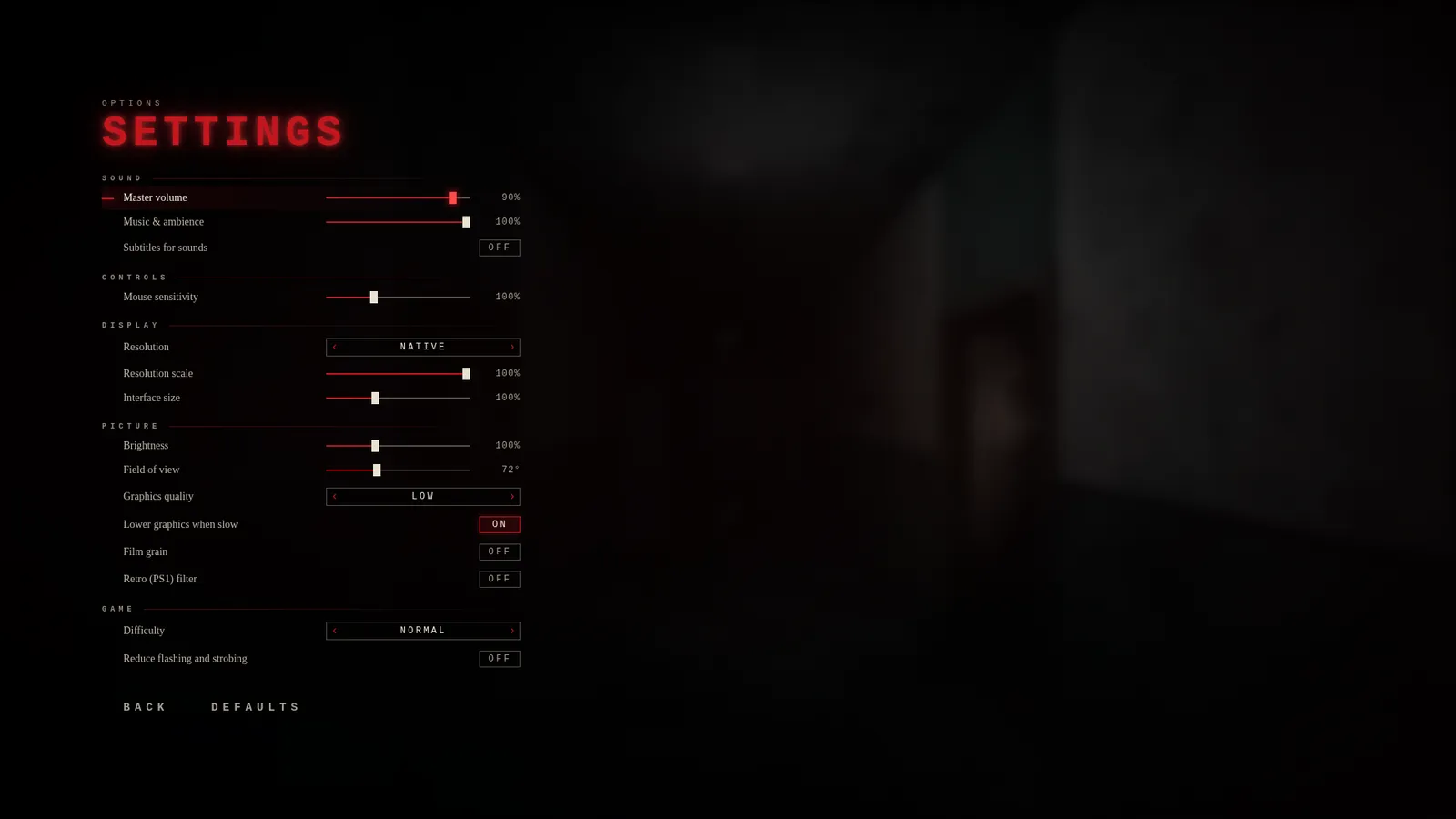
Horror only works if you can play it. So Madam Koi Koi has options for players who can't use headphones, who are sensitive to flashing lights, or who just want a gentler night.
Before anything else
The game shows a health and content warning every time it starts: jumpscares, sudden loud sounds, flashing and strobing lights, references to violence, and what to do if flashing lights affect you.
The options
- Reduce flashing and strobing tones down the effects that flash.
- Subtitles for sounds caption her heels, including how close they are, plus doors, lockers, screams and the music sting that means she's coming, so the most important information in the game doesn't depend on hearing.
- Difficulty changes more than her speed. On Easy she sees and hears less, you can look at her for longer, your flashlight battery lasts longer and you can hold your breath longer.
- Brightness, field of view (60 to 95 degrees) and interface size, so the picture and the text work on your screen.
- Film grain and the retro filter are optional, for players who find them hard to look at.
- Three manual save slots as well as checkpoints, so you can stop when you need to.
What we'd like to add
Two things we know are missing: remappable controls, and languages other than English. If there's something that would help you play, tell us.